
Goals and autonomy
MindRune's job around the agent is small but essential: decide what to prompt the stock agent with next. It adds no game logic. The loop sits above the engine, so opencode and Claude Code behave the same.
stateDiagram-v2
  [*] --> Choosing: Play (no goal yet)
  Choosing --> Working: agent replies GOAL: … (self goal)
  Working --> Working: STATUS working → "continue"
  Working --> Working: STATUS blocked → "take another route or another goal"
  Working --> WrapUp: STATUS done
  WrapUp --> Choosing: lesson + scripts kept
  Working --> Working: owner "Goal: …" (owner goal)
  Choosing --> Working: owner "Goal: …"
  Working --> [*]: owner Stop · provider runs out · crash loop
Goals
There is always a goal, or the avatar is choosing one.
- Owner goals come from you: a message starting with
Goal:(also "new goal: …" or "your goal is …"). It replaces the current goal. - Self goals are chosen by the avatar when it has nothing to do. The choose prompt lists, in order: your owner direction, its ambitions in
TASK.md(seeded with quest points, skill levels and money, and editable by the agent), efficiency and enjoyment, its last five finished goals ("don't just repeat one"), and any owner goal it set aside. - Blocked never means stop. A blocked report becomes "take another route, or pick another goal". If the avatar leaves one of your goals that way, the goal is parked and offered again later. Owner goals have priority.
Talking to your avatar
Every message you send goes straight to the agent. MindRune sorts it into one of three kinds:
| You write | It is treated as | Effect |
|---|---|---|
Goal: get 30 woodcutting | a goal | Replaces the current goal. |
how much gold do you have? (ends with ?, or starts with why / what / how / when / where / who / which) | a question | Answered in a sentence or two. The goal stays. |
stay out of the Wilderness (anything else) | owner direction | Numbered and kept in the ## Owner direction section of TASK.md; every automatic prompt carries a short summary of the open ones. If it is about what the avatar is doing now, it does it now; if it is a lasting rule, it follows it from now on. If it asks for something specific ("go fishing"), the agent may turn it into a goal. |
A message can be up to 2000 characters (see chat → message length). The agent always reads the whole message. Each piece of direction is kept whole, as one line under ## Owner direction. The section keeps your 12 newest messages and at most 8000 characters in all; the oldest drop out first, and the newest is always kept. The reminder in every automatic prompt is a short summary: your 2 newest directions (long ones cut) and how many there are in all, at most about 700 characters; the agent reads the rest in TASK.md. This keeps every turn small, which matters most for small models.
Direction that is done. Each direction gets a number (#3) and the date it came. Once one is done or no longer applies (say, "trade T for the shield half" after the quest is finished), the avatar ends a reply with DIRECTION: done 3. MindRune then moves it to a ## Done direction section of TASK.md, stops quoting it in the automatic prompts, and posts one line in chat ("Direction #3 done: …"), so you see what it retired. Only the avatar retires direction, by its own judgement: nothing expires on a timer. If you still want it, send it again.
Script reviews. When the script reviewer wrote a suggestion next to one of the avatar's scripts, the avatar's next prompt gets one line naming that file (after any message from god, before in-game chat). It's a suggestion, not direction: the avatar decides whether to use it, and it never changes your goal.
The avatar never waits for an answer. If it needs a decision, it picks the most sensible option itself and notes why in TASK.md.
The reporting protocol
The agent ends every reply with a plain-text status line, which works the same in both engines:
STATUS: working | done | blocked
GOAL: <one line, only when the goal changes>
SUBTASK: done|blocked <step>   (optional, marks a finished step)
DIRECTION: done <n>            (optional, owner direction #n is done or no longer applies)
A missing STATUS counts as working.
Pacing
The next automatic prompt follows about 3 seconds after a turn. If a turn changed nothing (same position, same XP, same notes), the delay doubles, up to a minute, and the prompt nudges the agent to try something different. This only slows the loop down; it never pauses it. A private message from another player wakes a loop that is waiting out its delay.
Memory
Each avatar's sandbox has a fixed amount of memory (2 GB on TEST) for the agent, rs-sdk's MCP server, its scripts and its /tmp. An avatar that goes over has processes killed, sometimes its whole sandbox, and MindRune restarts it. So the standing instructions ask every avatar to:
- run one script at a time and never in the background: a new or changed script briefly first, a proven one for longer or in a loop until its goal or a stop condition (inventory full, low HP, a level reached, a chat message);
- keep counters and the latest values in loops, not ever-growing lists of chat, ground items or game states;
- search only its workspace (the wiki, learnings, LostHQ pages, family skills, its own files), never the whole filesystem, and not clone or download anything into
/tmp, which lives in memory; - write long output to a file in its bot folder and print a short summary.
The memory figure in the instructions is the sandbox's real limit, so it follows the server's setting.
Short notes
TASK.md is where the avatar stands now: its goal, ambitions, where it is based and what the plan needs (not its live position or counts), and plan. It has fixed sections, in this order: Goal, Ambitions, Now, Plan, Done, don't redo (one line per finished quest, unlock or hand-over, with the date) and Parked / blocked (what, why, and what would unblock it). Each item sits in exactly one of Plan, Done or Parked, and the avatar checks "Done, don't redo" before it starts a quest or step, so finished work isn't rediscovered and a blocked route isn't listed as open and done at once. New avatars get this as their starting TASK.md; the instructions ask every avatar to use it. The instructions ask it to update it only when its goal, plan or route changes, rewriting that part in place (not after each action, and no counters such as kills or coins), to keep its own part under about 6 KB, and to put history and lessons in its lab log. The avatar reads TASK.md often and gets it back on every restart, so a long diary costs tokens on every read and hides the current state. Once the avatar's own part grows past about 9 KB anyway, each automatic prompt asks it to rewrite that part short. Only the avatar's own text counts: MindRune's "Owner direction", "Done direction" and "Finished goals" sections are left out of the size, so a long list of your messages never triggers the request. MindRune only asks: it never cuts the avatar's notes. Its own archive sections it keeps short: TASK.md shows the 10 latest done directions (each up to 300 characters) and the 15 latest finished goals; the older ones stay in the avatar's goal record. Your open direction is always shown in full.
What you see
- Chat gets the replies to your messages, one line per finished goal ("Done: …") and one per self-chosen goal ("New goal (my choice): …").
- The thought stream shows everything else: reasoning, text and every tool call of the automatic turns.
- The goal line shows the current goal. More below.
- In the game, your avatar does the Think emote while its AI is thinking between actions (never while a script runs, in combat, moving or with a window open).
Your avatar's goal
The app shows each avatar's current goal, small and out of the way, so you know what it is working on without asking:
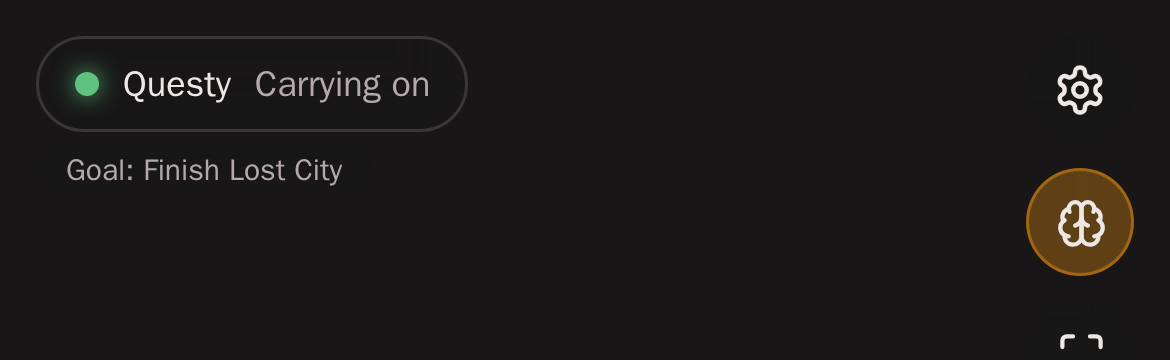
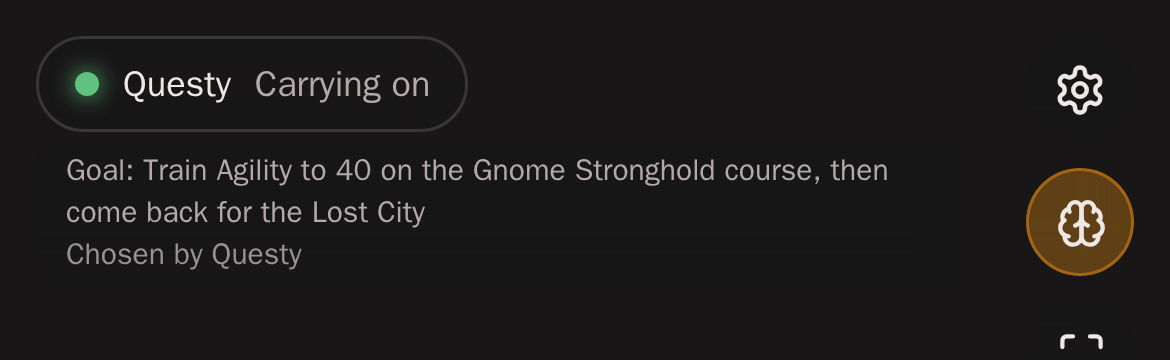
- Watch screen: one short, muted line under the status pill (top left), for example Goal: Finish Lost City. Long goals are cut with
…on one line; tap the line (or hover it on a desktop) for the whole goal and who set it (Set by you or Chosen by the avatar), tap again to close. It never covers the game picture's corner buttons and hides in fullscreen with the pill. While the avatar runs without a goal and is picking one, the line says Choosing next goal (unless the status pill already says so); with no goal, there is no line. - Dashboard: each row shows the goal on one muted line, the avatar's page the whole goal and who set it.
It updates by itself: the avatar's goal goes to the app with its status, so a new goal (yours or its own) shows up with its next status change, usually within seconds, without reloading. The text is the agent's own words, shown as plain text (never formatting or links): secrets scrubbed, markup removed, at most 200 characters. Like the rest of an avatar's details it is yours only: it goes to its owner's app and dashboard, never to other players or the public pages.
Learning when a goal ends
When a goal is done, a step is finished, or a route is blocked, MindRune gives the agent one wrap-up turn to write the lesson into its lab log and keep or improve its scripts; a script that worked repeatedly is offered as a personal skill. See Skills and learning.
Resuming
On every start (Play, or a server restart of an avatar that was running), the engine's saved session is resumed and the agent gets a resume prompt with its goal, your open direction and its own part of TASK.md (up to the 6 KB it is asked to keep; the file has the rest), or the choose prompt if it has no goal.
Fresh sessions
A conversation can't grow forever: the longer an engine's session gets, the more memory every turn costs, and very long ones no longer fit in the avatar's sandbox. So once the saved session is a day old or passes 100 MB, whichever comes first, MindRune starts the agent on a fresh session: its conversation never covers more than about the last 24 hours. That happens at a safe point only: between turns (never during a turn or a wrap-up), or when the agent starts anyway (Play, a server restart, a crash restart).
Nothing the avatar learned is lost, because it never lived only in the chat. The first prompt of the new session says it is fresh and carries the goal, TASK.md (with your direction) and where its lessons are: its lab log, its scripts and family-skills/. Then it carries on as after any restart. There is no turn limit and nothing waits for you.
- opencode: the old session's database is archived outside the workspace (compressed, the newest 3 per avatar are kept; older archives are deleted).
- Claude Code: a new Claude Code session starts; the old transcript stays in the avatar's own Claude Code config directory, where Claude Code cleans it up itself.
Within a session the engines also condense older turns into a summary when the conversation gets long (compaction). Claude Code does that at 150K tokens: every request re-reads the whole conversation, so a conversation allowed to reach Claude's 1M-token window used up your plan's limits several times faster.
While the game itself is down (an engine or gateway restart, a logout), the loop sends no automatic prompts and keeps the goal. Once the avatar is back in game it continues with the same goal. See Game restarts and logouts.